PwC
overview
Tension
Despite its dominant status as a "Big Four" leader, PwC faced a distinct market hurdle: gaining the same high-profile recognition for its advanced technology, data, and AI capabilities as it has for traditional consulting.
Approach
Stepping in as experience lead following an extensive discovery phase, I translated aligned vision and core requirements into design execution over six two-week sprints. Managing a cross-functional team of five designers alongside engineering, SEO, strategy, and motion partners, we worked in parallel with a full design system revamp.
Creative roles
Experience Lead: Myself
UX Designers: Sam Truong, Emilano Ocantos
Systems Lead: Lauren Blackburn
Systems Design: Gabe Moise
Design Director: Ant Goodwin
Creative Director: Jake Welsh
Visual Designers: Arjun Menon, Vern Liu
Motion Design: Matthew Grice
ideation and exploration
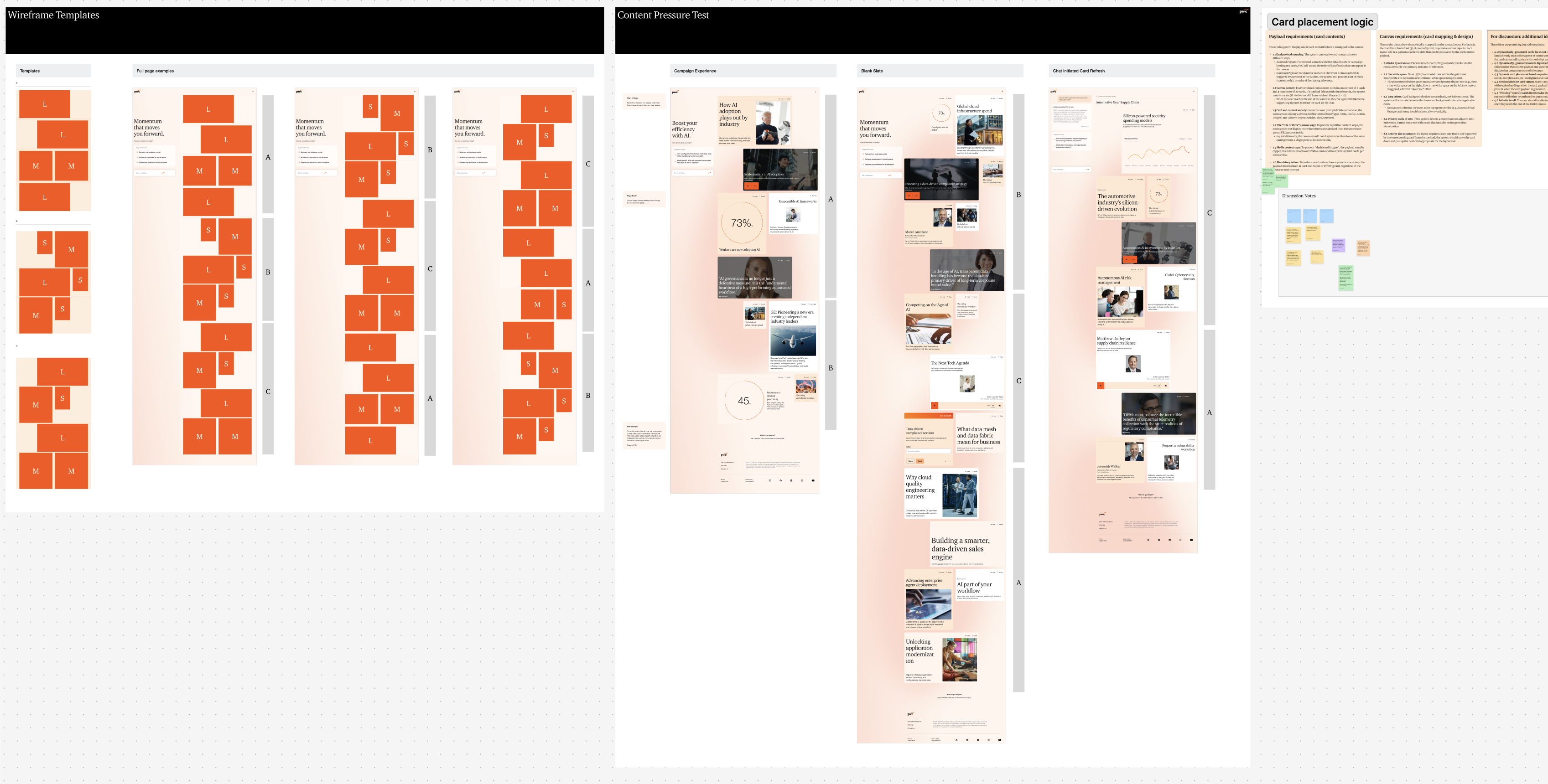
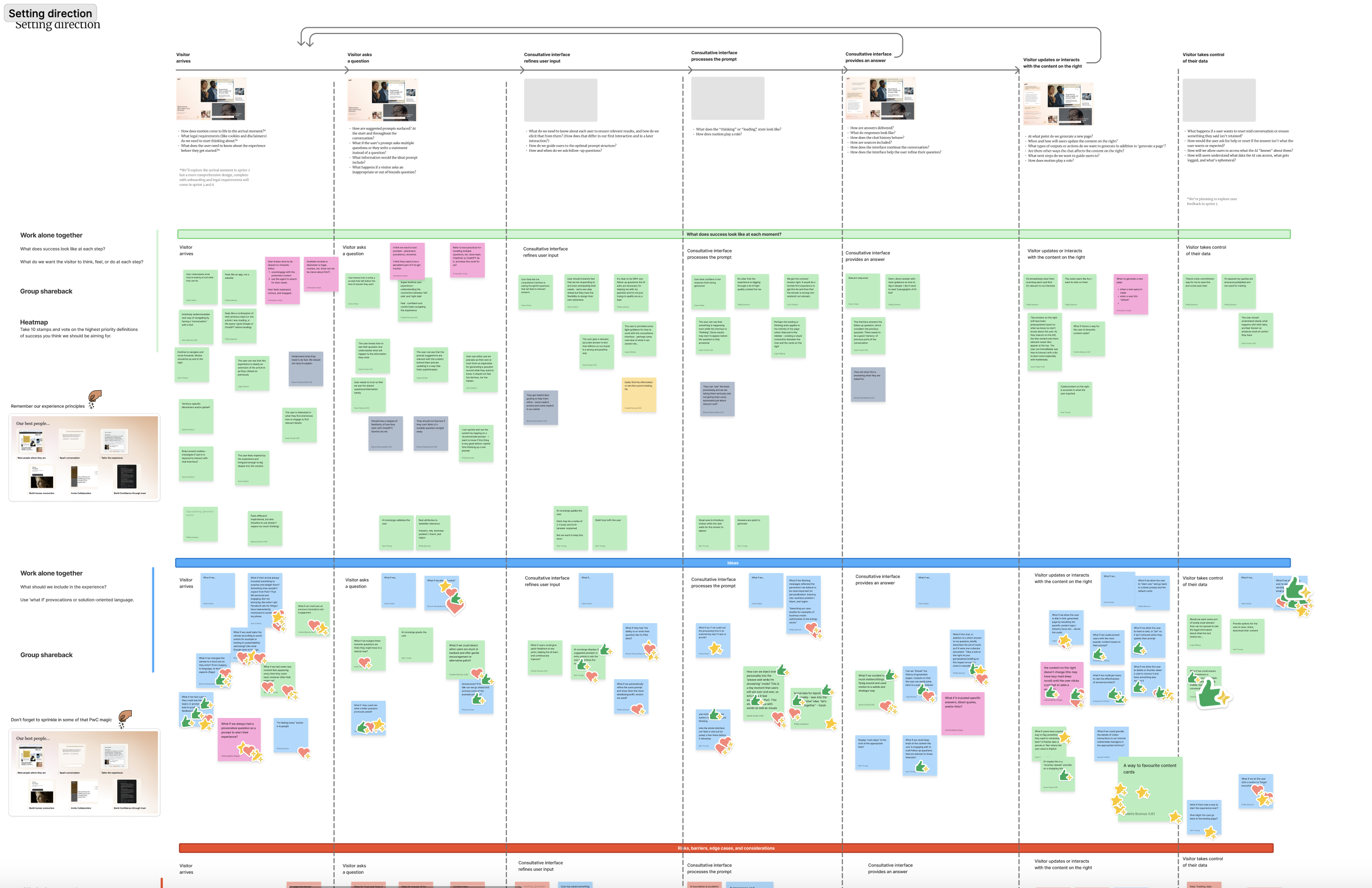
We began by iterating on experience flows for key entry points like paid ad campaigns versus global search tailored to the C-suite and functional buyer. We used these flows and wireframes to demonstrate a high-level, consultative, AI-driven experience.
Sprint Planning
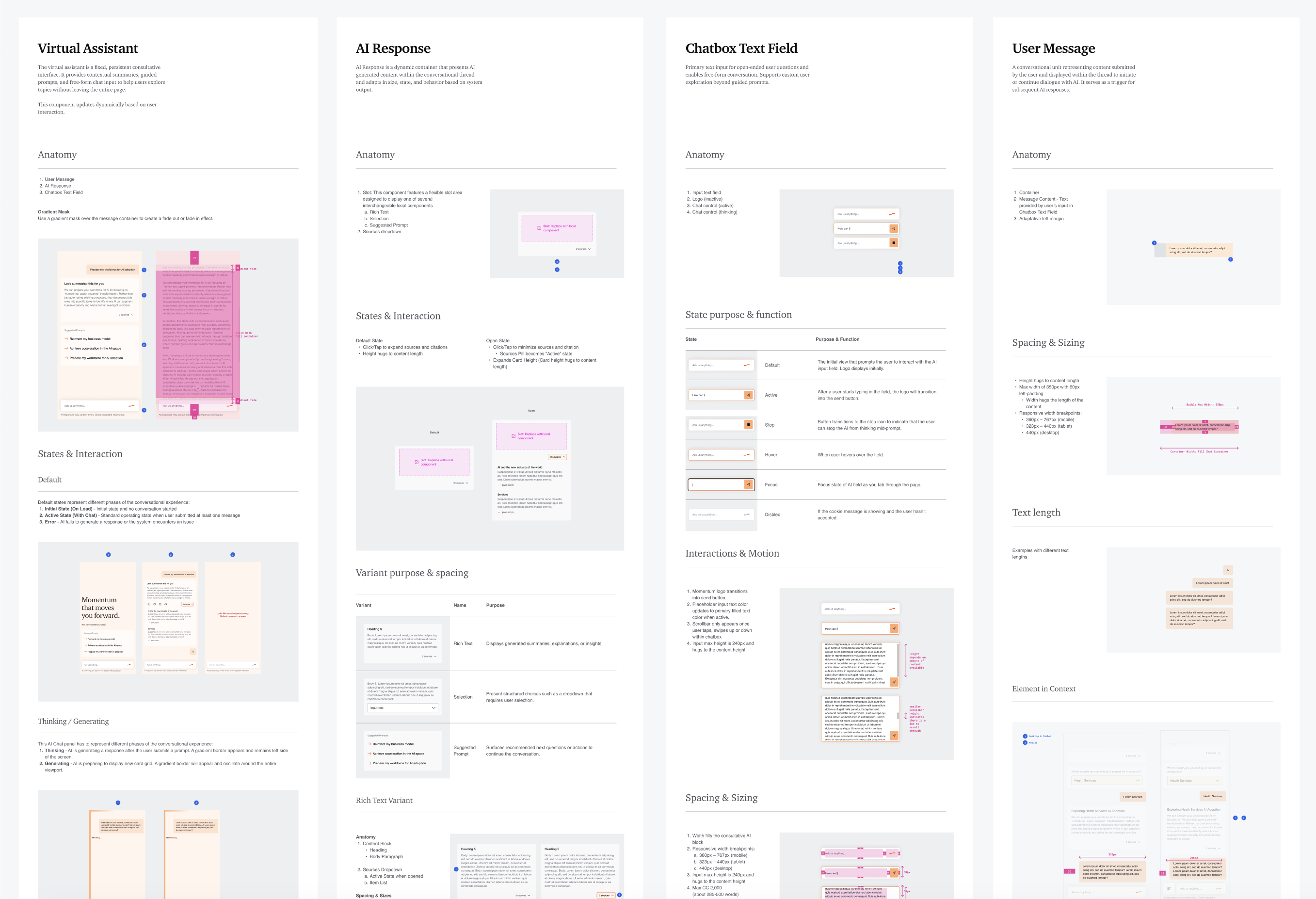
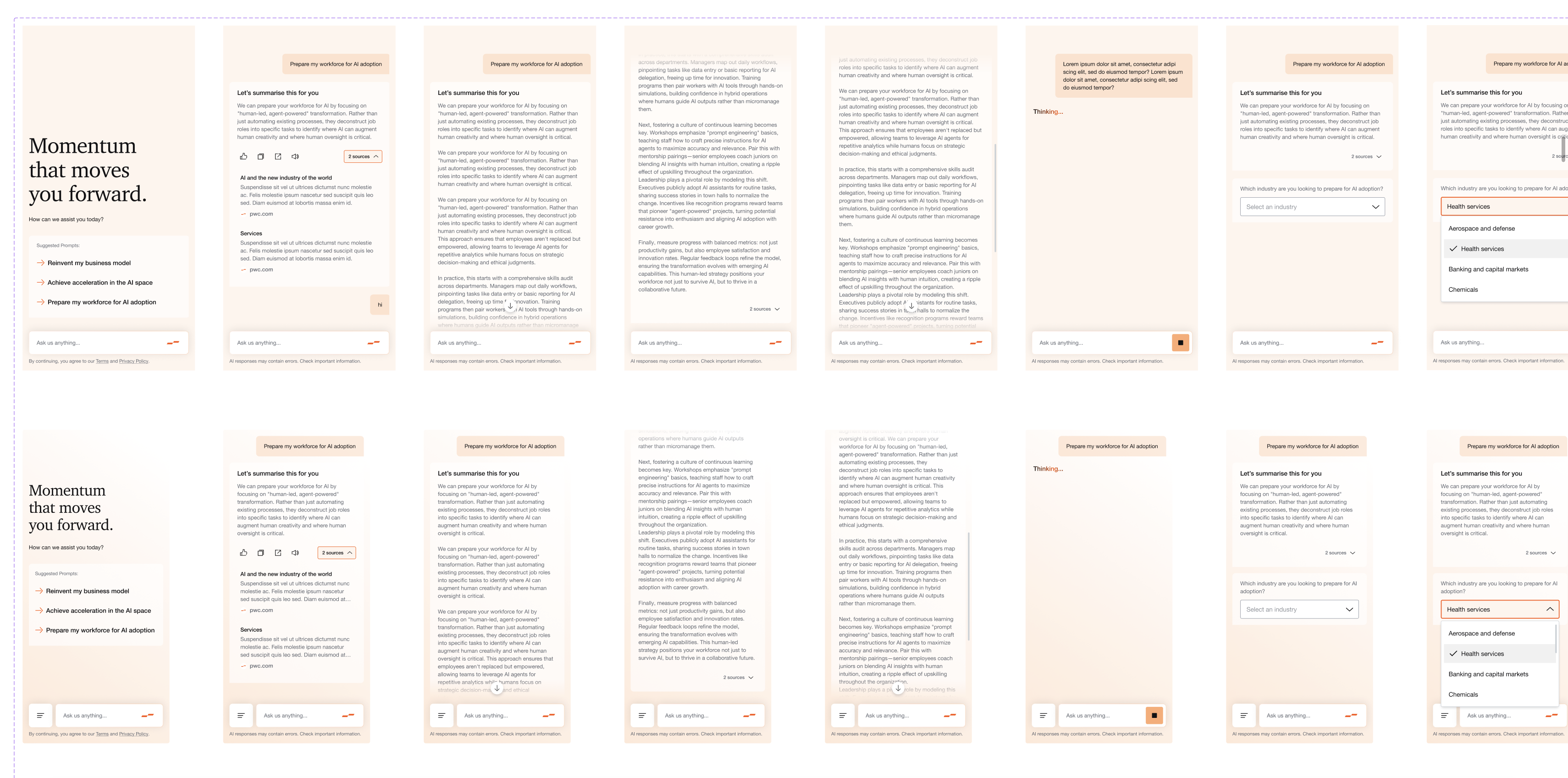
During sprint planning we broke the platform into its core experiential elements: the generative card grid, the individual content cards, the deep-dive pages they open, and the consultative AI sidebar. This sidebar drives the entire experience by generating new card grids, interrogating page content, and surfacing tailored next best actions.
Sprint 1: Content Cards
Sprint 2: Prompting and Conversation
Sprint 3: Source Content (Pages)
Sprint 4: Generated Card Layout & Grid
Sprint 5: Navigation and Measurement Strategy
Sprint 6: Holistic Experience
Sprint 1: Content Cards
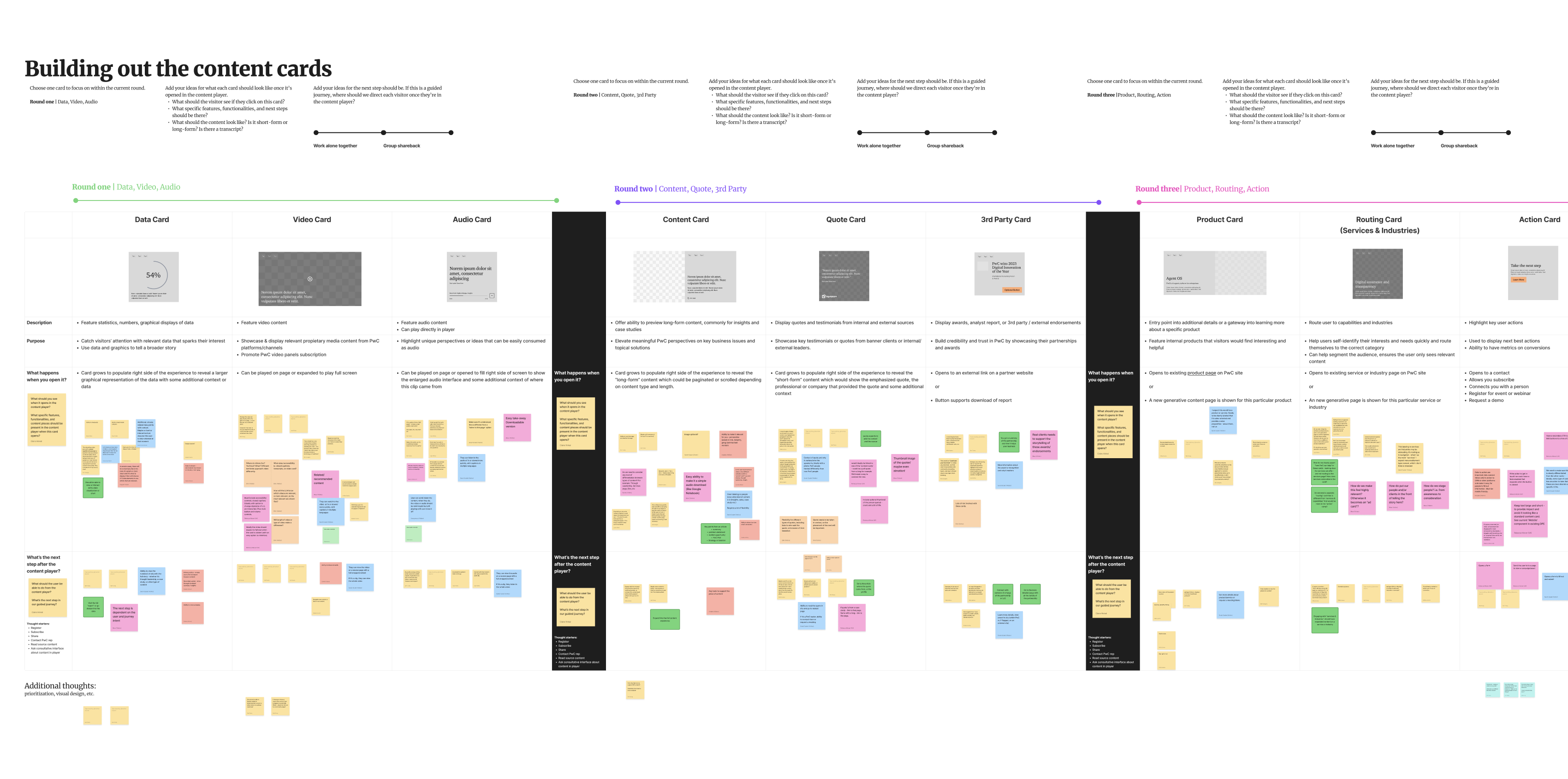
In the first sprint, we ran 3 design workshops to establish the pilot experience's core content cards. We iterated on their functionality and grid architecture and aligned on a few key structural principles:
Hierarchy Through Size, Not Color
We used three card sizes to imply hierarchy, while three background colors were used purely for variety. We also established that certain cards should play in-line — like videos and audio, while other cards should expand into scrollable content pages.
Cards Expand Into Scrollable Pages
Cards act as content fragments that feature content pulled from scrollable pages. Rather than taking the user to a full page takeover, the content opens as a window right above the grid, keeping the consultative chat experience in view.
Flexible Grid That Adapts to Viewport
As the device narrows, the principals of the grid must change to support natural responsive card heirarchy.
Sprint 2: Prompting and Conversation
Sprint 3: Source Content (Pages)
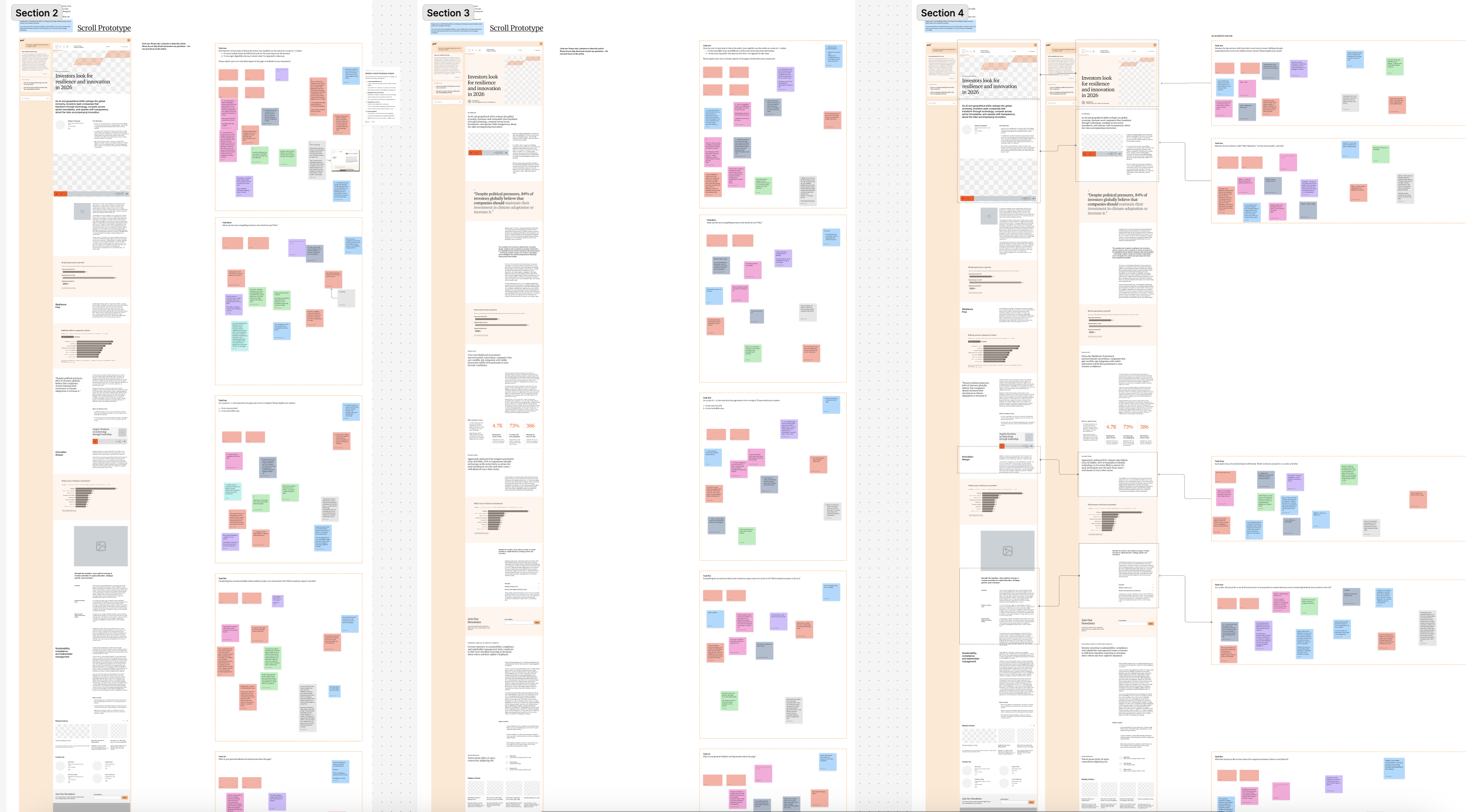
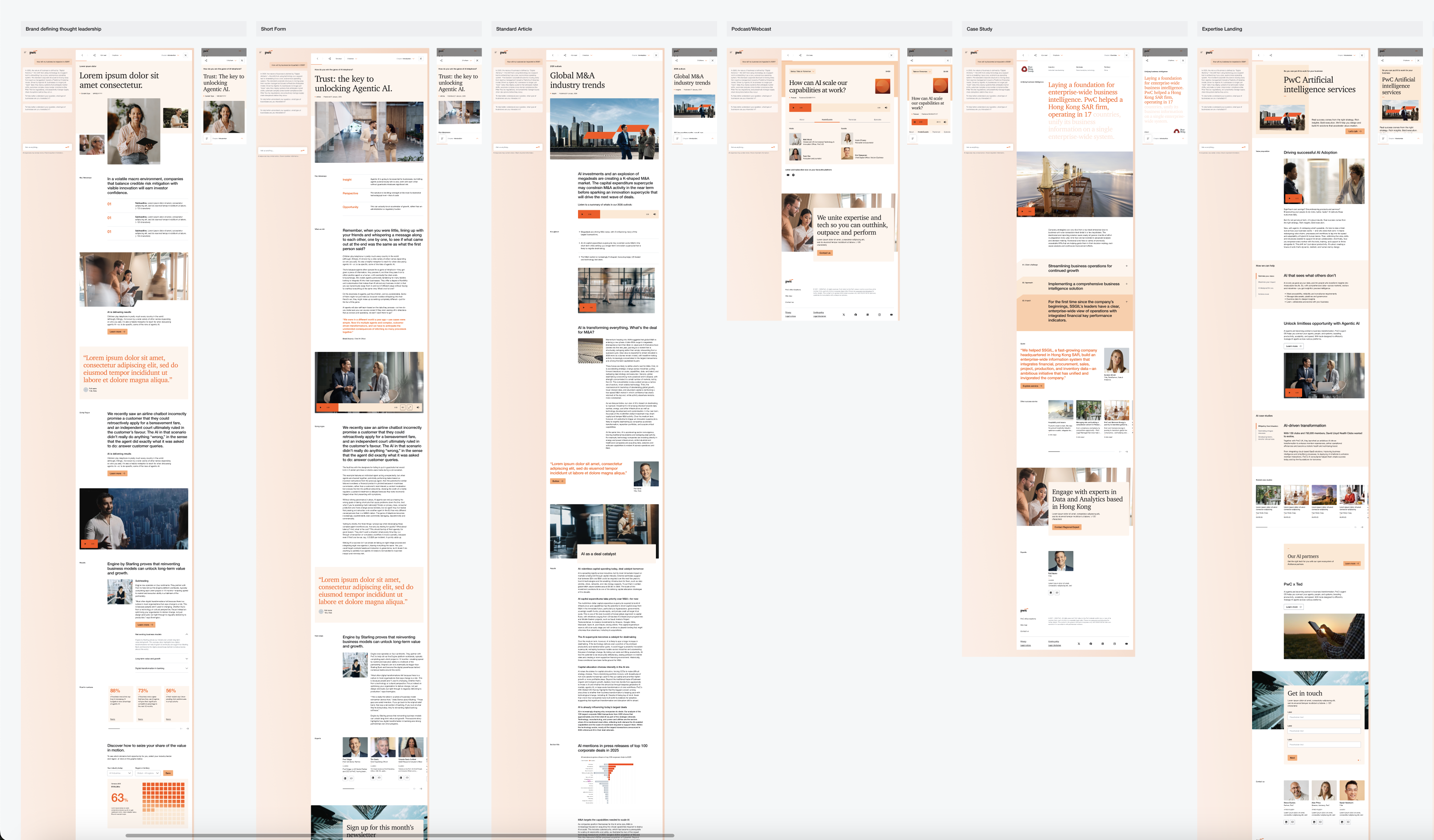
In Sprint 3, we focused on the deep-dive content experience. Partnering with the client, content, and SEO teams, we mapped existing long-form content into a new information architecture. Through layout testing and category consolidation, we established a clear, repeatable framework for the site.
Long-form Page UX
We introduced a persistent header bar to anchor long-form pages, making it easy for users to quickly see authors, jump to relevant content sections, or interact with the chat. We also implemented scroll based motion to introduce moments of delight throughout the page.
Content Migration & Page Layouts
We translated legacy information architecture into four clean, card-friendly buckets: Our Thinking, Our Impact, Expertise, and Bios.
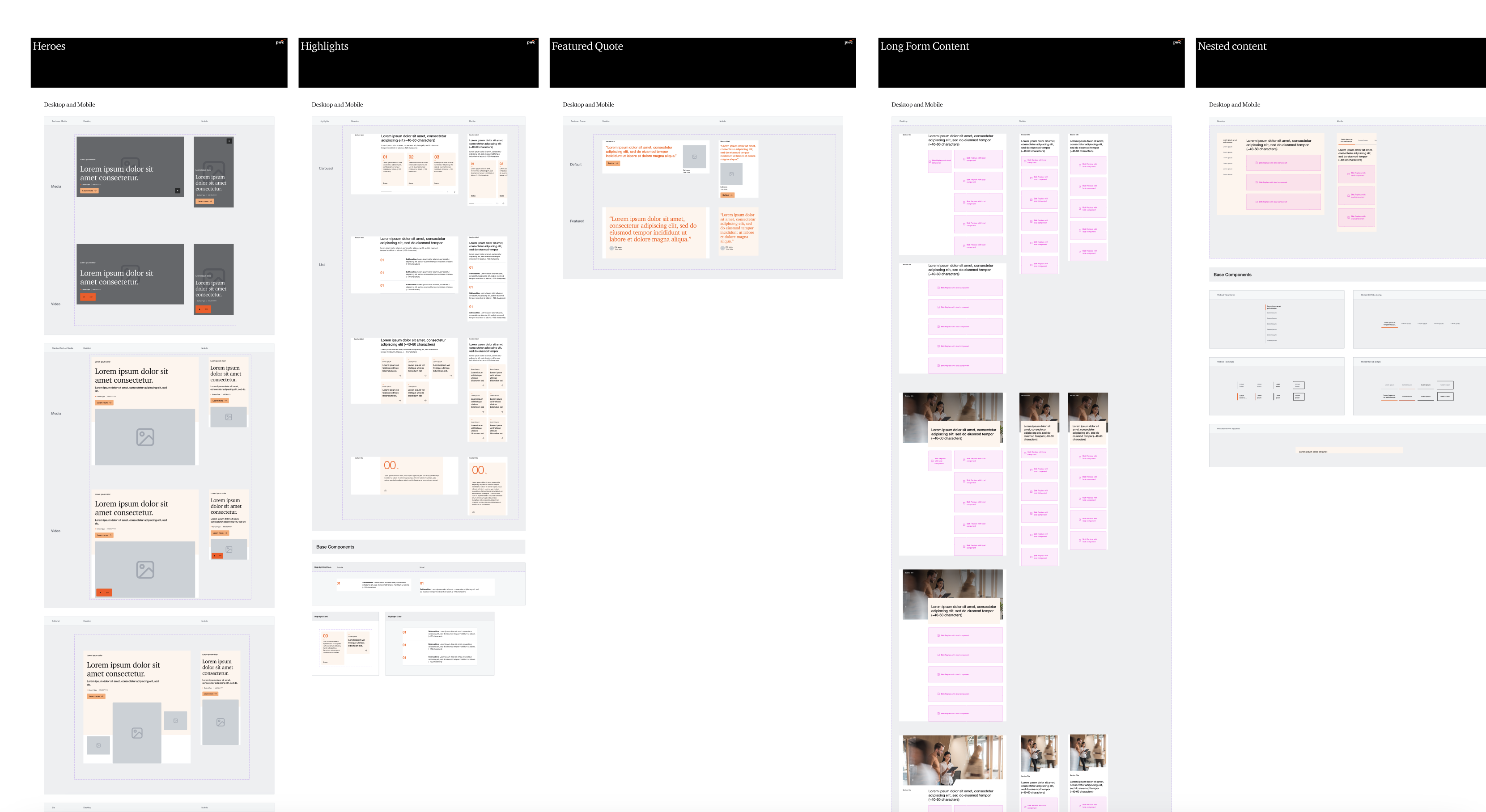
Slot Based Module Library
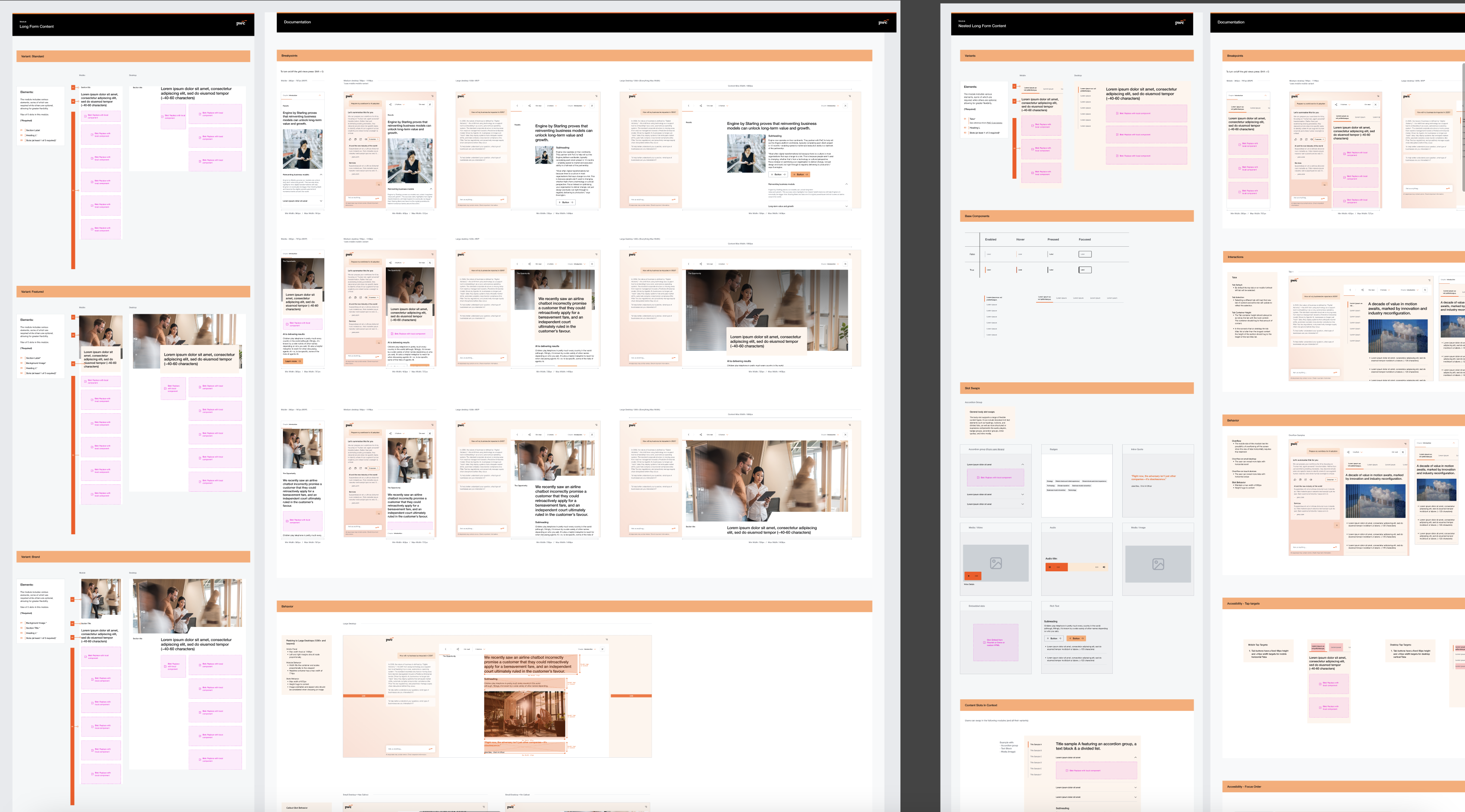
We built a responsive, slot-based module library built from design system primitives. This atomic approach ensures proper scaling and allows for intuitive content and module swapping.
Essential Annotation
We annotated heavily for developers, CMS editors, and A11y standards across all viewports.
Sprint 4-6: Grid Layout, Navigation & Backlog